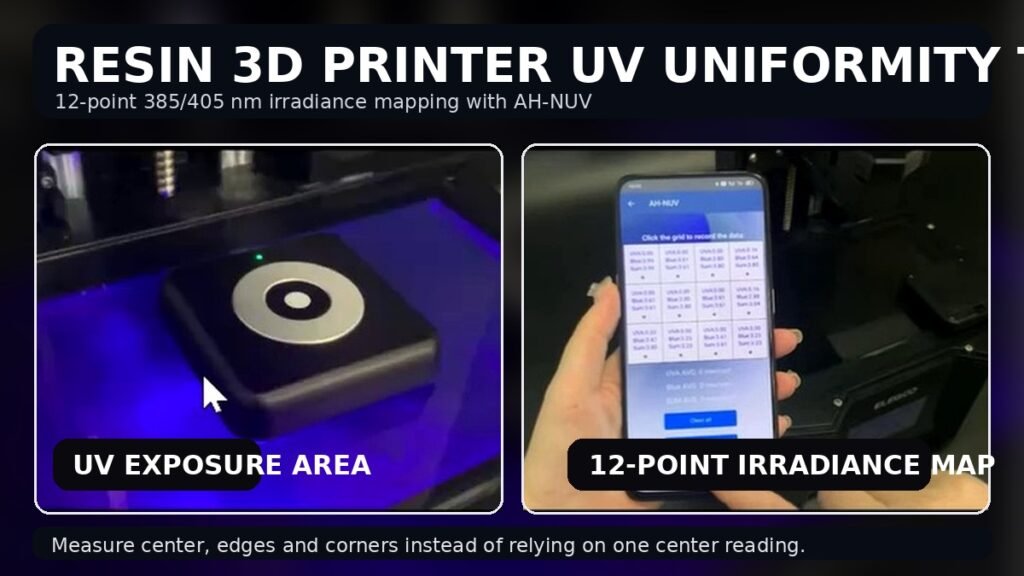
A resin 3D printer does not expose only one point.
Its light source must illuminate an entire build area, so checking UV intensity only at the center can miss weaker or stronger regions elsewhere on the exposure surface.
In this real test, we used the AquaHorti AH-NUV to record UV irradiance at multiple positions across a resin 3D printer.
The phone app was used to build a 4 × 3 measurement grid with 12 recorded positions.
The purpose was simple:
Measure the UV output across the exposure area instead of assuming that one center reading represents the whole printer.
Video published: August 14, 2025
Direct Answer: How Do You Test UV Uniformity on a Resin 3D Printer?
Use a wavelength-appropriate irradiance meter and record measurements at multiple positions across the printer’s illuminated exposure area.
For a useful comparison:
- Use the same printer exposure mode for every point.
- Keep the sensor orientation and measurement height consistent.
- Divide the exposure area into a repeatable grid.
- Record the irradiance at the center, edges and corners.
- Compare individual points with the overall average and with each other.
The video demonstrates this using 12 measurement positions.
A single irradiance reading tells you what happens at one location.
A grid tells you how the UV output is distributed across the build area.
What Was Tested in This Video?
The resin printer’s exposure surface was illuminated while the AH-NUV sensor was moved between multiple positions.
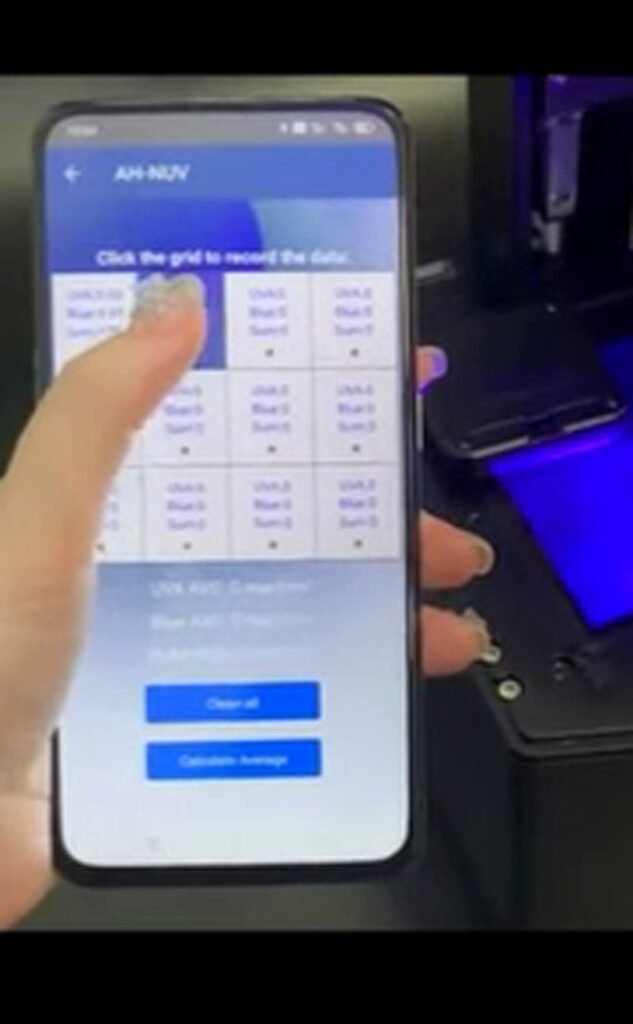
Each position was recorded in the Bluetooth app.
The app shows a 4-column × 3-row grid, allowing twelve locations to be documented rather than relying on one measurement.
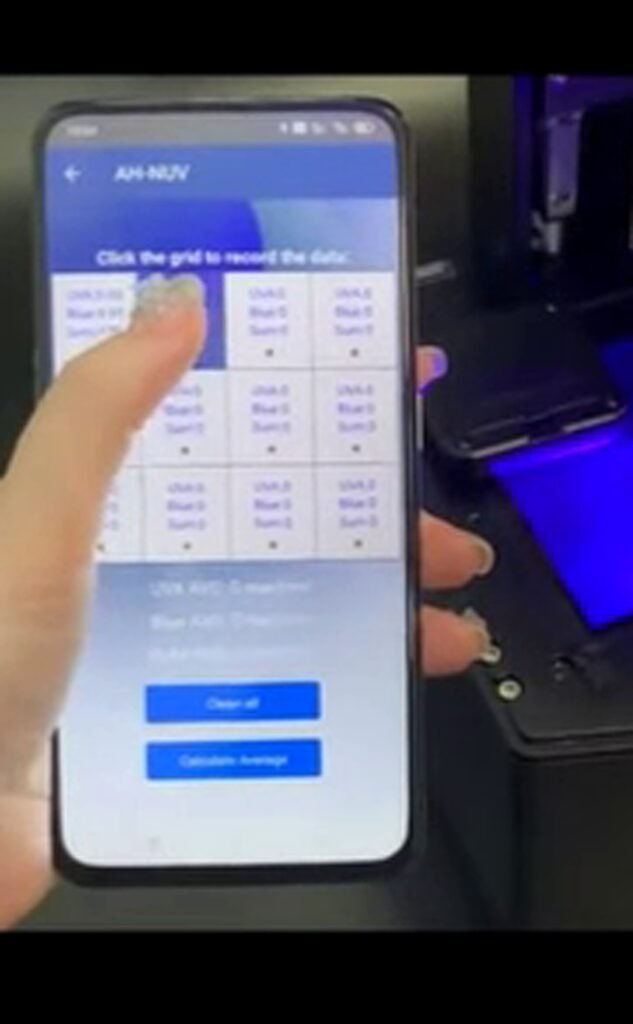
This makes it possible to look for:
- center-to-edge changes,
- corner differences,
- localized stronger areas,
- localized weaker areas,
- and overall consistency across the exposure field.
The video is therefore a UV irradiance mapping test, not simply a demonstration of whether the printer’s UV LEDs turn on.
Why Measure 385 nm and 405 nm?
Wavelength matters when measuring a resin printer.
385 nm is in the UVA region.
405 nm is better described as violet / near-UV and is widely used for photopolymer resin printing.
Formlabs states that 405 nm is one of the most common wavelengths used in photopolymerization 3D printing, while 385 nm is another wavelength encountered in resin-printing systems. Formlabs
Many commercial LCD/MSLA printers also specify 405 nm light sources. For example, ELEGOO specifies 405 nm UV illumination for several resin printers. ELEGOO US
That is why a normal visible-light meter is not the right instrument for this job.
Why Does UV Uniformity Matter in Resin Printing?
During resin printing, the photopolymer is cured by light passing through the LCD exposure system.
If one part of the build area receives different irradiance from another part, the same programmed exposure time can produce different optical exposure at different positions.
That does not automatically mean a print will fail, because curing also depends on the resin, wavelength sensitivity, layer thickness, temperature, LCD transmission and exposure settings.
But irradiance uniformity is an important part of the optical system.
This is important enough that resin-printer manufacturers publish light-uniformity specifications for some machines. For example, ELEGOO states 92% field uniformity for specific 405 nm printer models. That number is a specification for those particular models—not a universal pass/fail requirement for all resin printers. ELEGOO Official
Why Is One Center Reading Not Enough?
Suppose the center of a printer gives a normal reading.
That alone does not tell you what is happening near:
the left edge
the right edge
the front and rear
or
the four corners
A local weak region could be hidden if only the center is tested.
Likewise, a center hotspot can make the printer appear stronger than the rest of the exposure field.
That is why this video records multiple positions.
The important question is not only:
How strong is the UV light?
but also:
How evenly is that UV light distributed across the area where parts can be printed?
How the 12-Point Grid Works
In the video, the app provides twelve measurement cells arranged as:
| Column 1 | Column 2 | Column 3 | Column 4 | |
|---|---|---|---|---|
| Row 1 | Point 1 | Point 2 | Point 3 | Point 4 |
| Row 2 | Point 5 | Point 6 | Point 7 | Point 8 |
| Row 3 | Point 9 | Point 10 | Point 11 | Point 12 |
At each location, the measurement is stored before the sensor is moved to the next point.
After the grid has been populated, the readings can be compared and an average can be calculated.
This creates a much more useful record of the exposure field than a single spot measurement.
What Should You Compare After Mapping the Printer?
Start with the average irradiance, then compare each recorded point with that reference.
One transparent way to express the difference is:
Point deviation (%) = (Point reading − Average reading) ÷ Average reading × 100
For example, a negative value means that location measured below the average, while a positive value means it measured above the average.
The exact definition of “uniformity” should always be stated if a percentage is reported, because manufacturers and test methods may use different formulas.
For practical troubleshooting, the raw grid itself is often more informative than reducing all twelve points to one percentage.
What Can a UV Map Reveal?
A multi-point map can help identify patterns.
A center-high / edge-low pattern may indicate that the output is concentrated toward the middle.
One consistently weak corner may justify additional investigation of the optical system, LCD, light module or measurement setup.
A relatively even grid suggests that the measured irradiance is more consistent across the tested positions.
However:
The irradiance map identifies where the optical output differs. It does not by itself identify the component responsible for the difference.
That distinction is important when troubleshooting.
Why Not Use a Lux Meter?
Lux is weighted around human visual sensitivity.
A resin printer needs a measurement matched to its curing wavelength.
A source can look visually dim while still producing meaningful 385 nm or 405 nm irradiance.
For this reason, the instrument should be selected by wavelength and physical quantity, not by visible brightness.
AquaHorti’s UV, Optical & Solar Measurement Guide makes the same distinction: 385/405 nm resin-printer checks require wavelength-specific irradiance measurement rather than ordinary visible-light measurement.
Is 405 nm Really UV?
This requires a little precision.
The conventional boundary between ultraviolet and visible light is around 400 nm.
Therefore:
385 nm → UVA
while
405 nm → violet visible / near-UV region
In resin 3D-printing terminology, 405 nm is often casually described as a “UV” light source because it is used for UV-curable photopolymer systems.
For technical writing, however, it is better to describe AH-NUV as measuring 385 nm UVA and 405 nm violet/near-UV irradiance.
AquaHorti’s Measurement Glossary similarly describes 405 nm as a violet / near-UV wavelength widely used by resin 3D printers.
Can You Calculate Resin Exposure From Irradiance?
Irradiance is one part of the exposure.
For a constant source, optical exposure increases with time:
Exposure = Irradiance × Time
But that does not mean one measured irradiance value automatically tells you the correct printer exposure time.
Resin curing also depends on:
- photoinitiator chemistry,
- wavelength sensitivity,
- resin formulation,
- layer thickness,
- temperature,
- LCD transmission,
- exposure geometry,
- and the desired cure depth.
Therefore, AH-NUV should be used to measure and compare the optical output, not to generate a universal resin exposure time from one reading.
When Is a Resin Printer UV Uniformity Test Useful?
A grid test is particularly useful when:
- failures repeatedly occur in one area of the build plate,
- parts near the edge behave differently from parts near the center,
- the LCD has been replaced,
- the UV light module has been repaired or replaced,
- you want a baseline for a new printer,
- you want to compare the same printer after extended use,
- or you want to document changes before adjusting exposure settings.
For longitudinal comparison, the test method must remain consistent.
The same grid, sensor orientation, printer mode and measurement position should be reused.
A Measurement Is Different From the Printer’s Built-In LCD Test
Many resin printers already include an LCD or exposure test.
That is useful for checking whether the screen and lighting system operate.
Phrozen, for example, describes LCD test modes that illuminate the screen so the user can check the lighting and masking functions. It also warns users not to look directly at the UV light. Phrozen Help Center
A radiometric grid test answers a different question.
The built-in test asks:
Is the exposure system functioning visually?
The irradiance map asks:
How strong is the measured optical output at different locations?
Both can be useful, but they are not the same test.
Safety Note
Follow the printer manufacturer’s instructions when activating an exposure or LCD test mode.
Do not stare directly into the illuminated build area.
Where appropriate, use the printer’s protective cover and suitable eye protection, and minimize unnecessary exposure while testing.
The measurement should also be performed without touching uncured resin; if the vat or resin has been removed for a service test, follow the printer manufacturer’s procedure.
What This Video Does Not Prove
This is a practical UV mapping demonstration using one resin 3D printer.
It does not establish a universal acceptable irradiance level or universal uniformity percentage for every resin printer.
It also does not establish the optimum exposure time for a particular resin.
The appropriate output depends on the printer, wavelength, resin and printing process.
The strongest conclusion from this video is therefore:
A resin printer’s UV exposure area should be evaluated at multiple locations when the goal is to understand light distribution. One center reading cannot describe the entire build area.
About the AH-NUV
The AquaHorti AH-NUV is designed for wavelength-specific irradiance checks of resin 3D-printer light sources.
It supports:
385 nm + 405 nm measurement
multi-position light-uniformity checks
center / edge comparison
Bluetooth phone display
measurement without an Internet connection
Learn more: AH-NUV 385nm & 405nm UV Meter for Resin 3D Printers
Related Measurement Guides
Learn more about choosing an optical meter by wavelength in our UV, Optical & Solar Measurement Guide.
For definitions of irradiance, 385 nm and 405 nm, see the AquaHorti Measurement Glossary.
Frequently Asked Questions
How do you test UV uniformity on a resin 3D printer?
Measure irradiance at multiple repeatable positions across the exposure area while keeping the printer mode, sensor orientation and measurement geometry consistent. Compare the center, edges and corners rather than relying on one reading.
What wavelength do resin 3D printers use?
Many resin printers use 405 nm light. Other photopolymer systems may use wavelengths such as 385 nm, so the meter should match the printer’s light source. Formlabs describes 405 nm as one of the most common photopolymerization wavelengths. Formlabs
Can one UV measurement represent the whole build plate?
No. A single measurement represents only the sensor location. A multi-point map is needed when you want to understand center-to-edge and corner-to-corner variation.
Can I use a lux meter to test a resin 3D printer?
A lux meter is designed for visible-light illuminance weighted to human vision. Resin-printer testing should use a wavelength-appropriate irradiance sensor for the relevant 385 nm or 405 nm source.
What does uneven UV irradiance mean?
It means the measured optical power per unit area varies between locations. The map can show where those differences occur, but it does not by itself identify the cause.
What is a good UV uniformity percentage for a resin printer?
There is no single percentage that should be applied universally to every printer. Check the manufacturer’s specification and use the same measurement method when making comparisons. Some specific printers advertise values such as 92% field uniformity, but that specification belongs to those models and should not be treated as a universal threshold. ELEGOO Official