SMART LIGHT + AIRFLOW CONTROL FOR INDOOR GROWING
AquaHorti
AH-LightFan Wi-Fi Controller
One controller. A smarter grow space.

Control Your Grow Light & Fans From One Place.

Set lighting schedules, sunrise and sunset transitions, fan speed, and temperature or humidity protection — then manage it remotely over Wi-Fi.

  • Timed light control with sunrise & sunset
  • Temperature & humidity response
  • Wi-Fi app access from anywhere

Compatible equipment is required. Check connector and control specifications before installation.
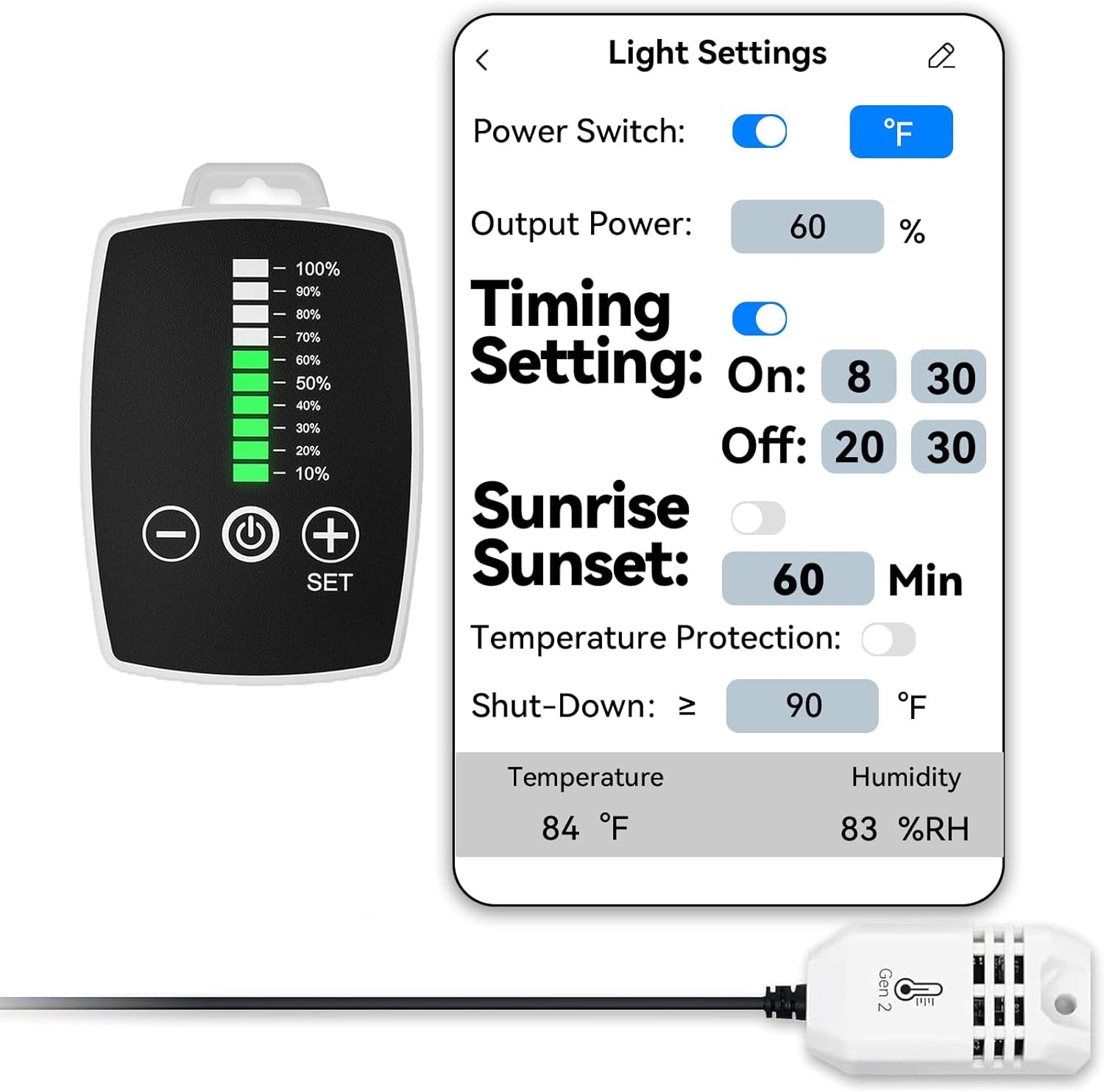
AquaHorti AH-LightFan controller, phone interface, and temperature humidity sensor
Wi-Fi connected
Light + fan control
Dual fan outputs
0–10VCompatible light control
T+RHEnvironmental sensor input
Wi-FiRemote app adjustment
Built for daily control

Stop managing every device separately.

AH-LightFan brings your compatible grow light, ventilation fans, environmental sensor, and app controls into one compact control point.

Light Scheduling

Set on/off times and output power so the light follows your preferred daily cycle automatically.

Sunrise & Sunset

Create gradual light transitions instead of an abrupt jump from darkness to full output.

Two Fan Channels

Connect supported inline duct or clip fans and manage their speed from the controller or app.

Temperature Protection

Configure a temperature threshold that can automatically raise fan speed when the space gets too warm.

Humidity Protection

Set humidity-based fan behavior to increase airflow when moisture rises above your chosen level.

Wi-Fi Remote Control

Check readings and change supported light and fan settings through the mobile interface.
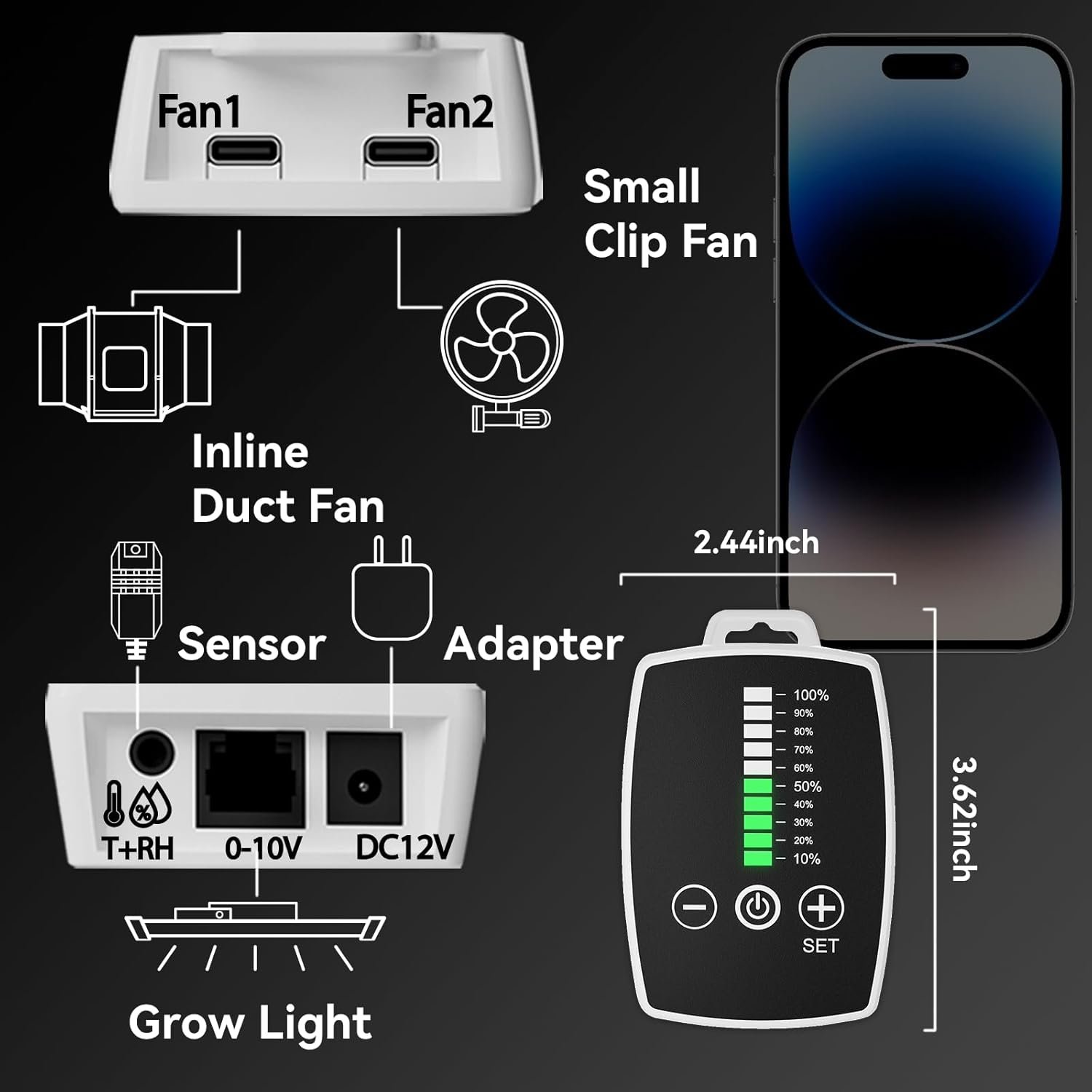
AH-LightFan connection diagram for two fans, temperature humidity sensor, 0-10V grow light, and 12V adapter
One compact hub

Connect the key parts of your grow setup.

The controller is designed as a central connection point for compatible lighting, fans, power, and environmental sensing.
  • Two fan ports for supported inline duct or clip fans
  • 0–10V output for compatible dimmable grow lights
  • Temperature and relative humidity sensor input
  • Compact controller body: approximately 2.44 × 3.62 inches
Compatibility note: connector shape alone does not guarantee electrical compatibility. Confirm your light and fan specifications before connecting.
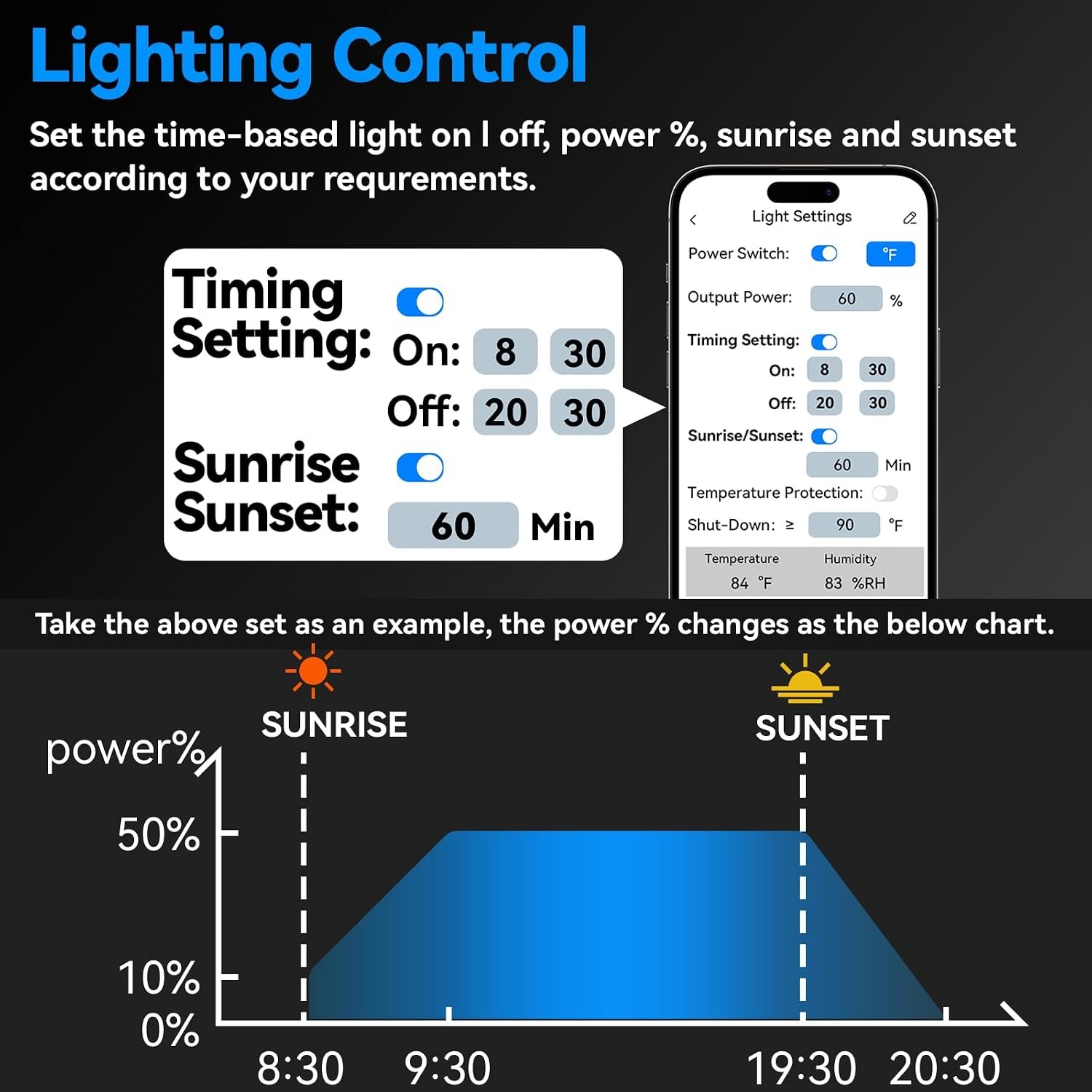
AH-LightFan app showing timed grow light power with sunrise and sunset control
Lighting automation

Build a repeatable light cycle — without daily adjustments.

Choose the active period, select the output percentage, and add a gradual sunrise or sunset transition when desired.
  • Time-based light on and off
  • Adjustable light power percentage
  • Configurable sunrise and sunset duration
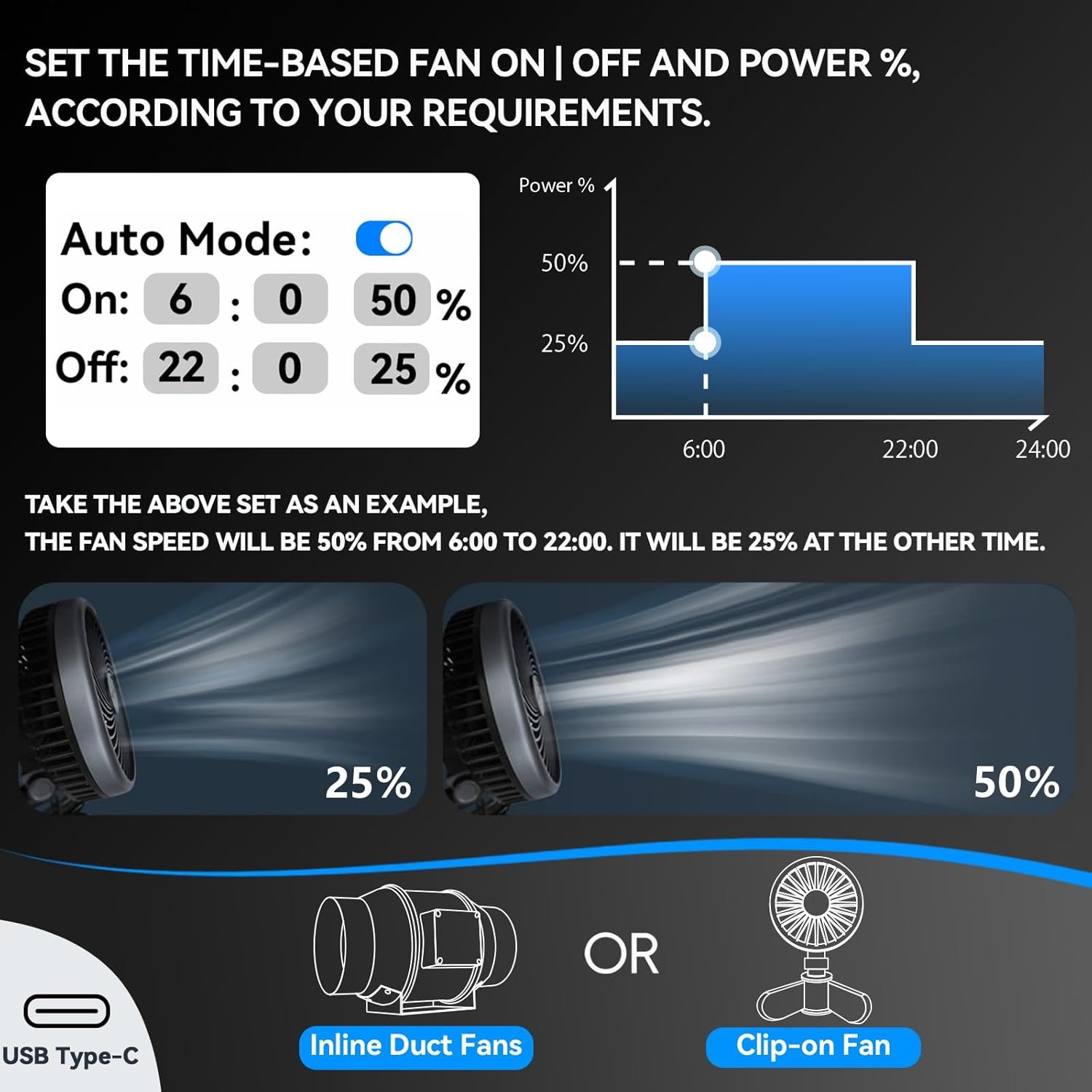
AH-LightFan fan schedule with different fan power levels across the day
Fan scheduling

Use more airflow when you need it — and less when you don’t.

Set a higher fan level during the active period and a lower level outside that window to match the routine of your grow space.

  • Scheduled fan start and stop times
  • Separate fan speed percentages by time period
  • Works with supported inline duct and clip fan configurations
Condition-based response

Let temperature and humidity help drive airflow.

Set your own thresholds so supported fans can react when the grow environment moves beyond the range you selected.
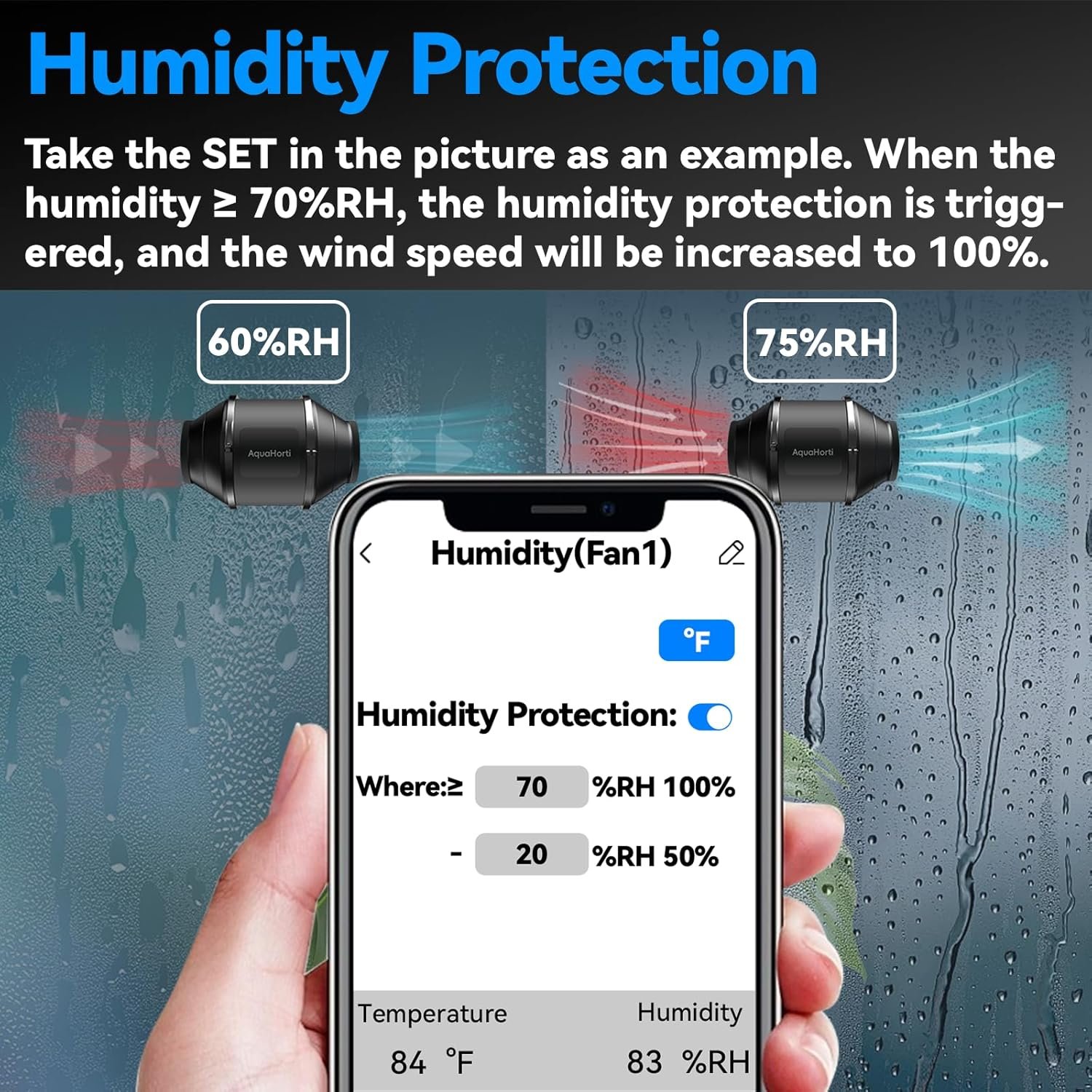
Humidity protection screen automatically increasing fan speed at a selected humidity threshold

Humidity Protection

Increase ventilation automatically when relative humidity reaches the threshold you configured.
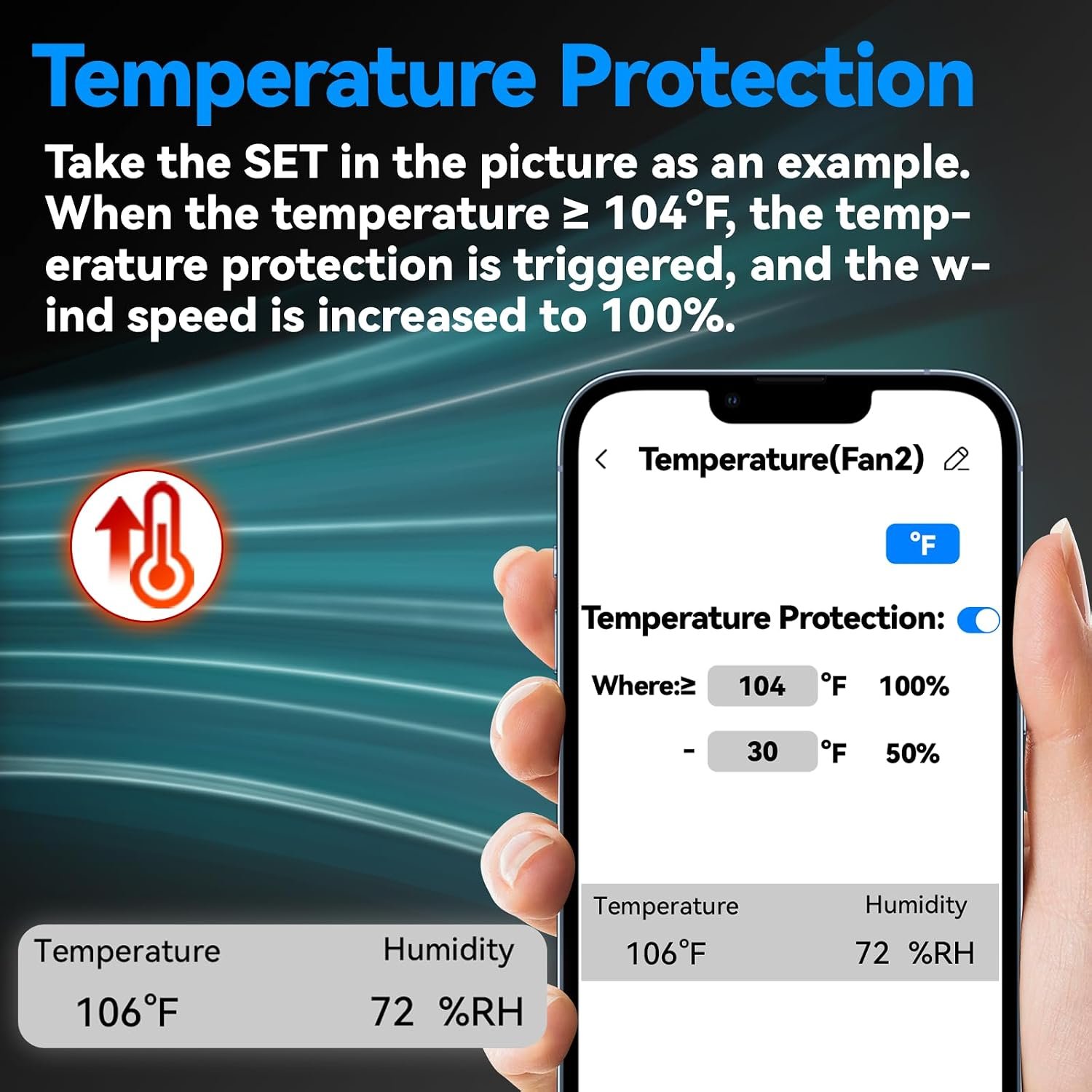
Temperature protection screen automatically increasing fan speed at a selected temperature threshold

Temperature Protection

Raise fan speed automatically when the measured temperature reaches the level you selected.

Simple setup flow

Connect. Configure. Let the schedule run.

Once compatible equipment is connected, create the operating rules that match your grow space.

Connect compatible devices

Attach the sensor, power adapter, supported fan equipment, and compatible 0–10V grow light.

Choose schedules and limits

Set light times, power percentage, fan behavior, and temperature or humidity thresholds.

Monitor and adjust remotely

Use the Wi-Fi mobile interface to view conditions and make supported setting changes.

Remote access

Your controller does not have to stay within arm’s reach.

Use the mobile interface to access light settings, fan controls, temperature, and humidity information from a connected location.
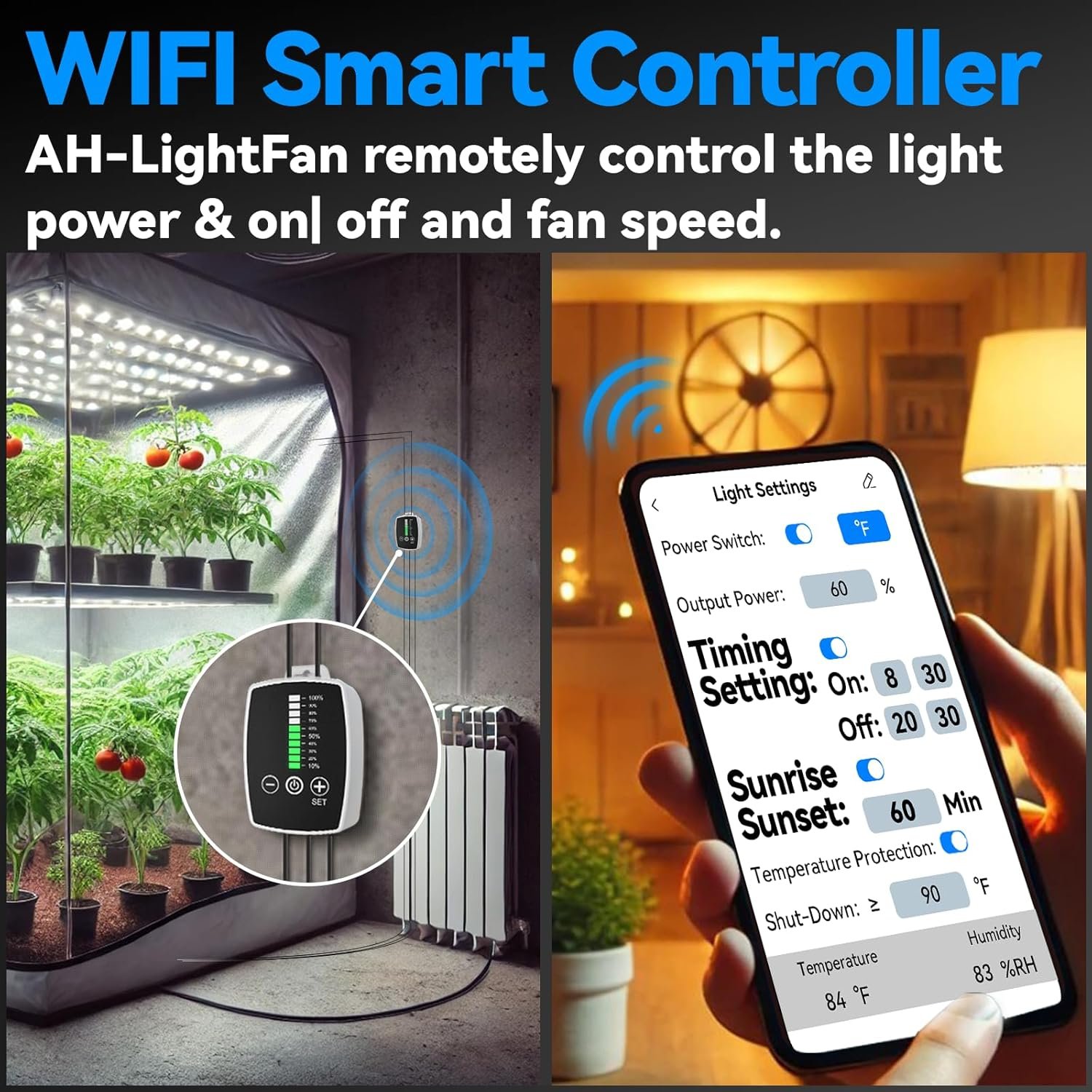
Light power On/off timing Sunrise/sunset Fan speed Temperature Humidity
Wi-Fi smart controller remotely managing grow lights and fan settings
Frequently asked questions

Before you connect your equipment

Can AH-LightFan control every grow light and fan?
No. It is intended for compatible 0–10V grow lights and supported fan connections. Check the voltage, connector, pin assignment, and control protocol of your equipment before installation.
Can I set different fan speeds for different times?
Yes. The time-based fan control interface lets you configure an active period and fan power levels for different portions of the day.
What do temperature and humidity protection do?
They allow supported fans to increase speed when the measured temperature or humidity reaches a threshold that you set.
Can I control the grow light without being beside the controller?
The Wi-Fi interface is designed to provide remote access to supported light and fan settings while the system is connected.
Does the controller include the grow light and fans?
The product configuration and included components can vary. Review the current purchase page carefully to confirm exactly what is included before ordering.
A simpler control point

Bring lighting and airflow into one daily routine.

Use AH-LightFan to coordinate compatible lighting, fan schedules, and environmental response from a compact controller and mobile interface.

View Purchase Options
2Fan channels
0–10VCompatible light control
T + RHSensor readings
Wi-FiRemote access
View Purchase Options