Reef LED Light

Control every channel.
See every change.

MegaReef 100 combines seven independently adjustable LED channels, built-in Bluetooth app control, a setting-based spectrum visualization, programmable light operation, multi-light synchronization, and a lower-minimum blue setting.
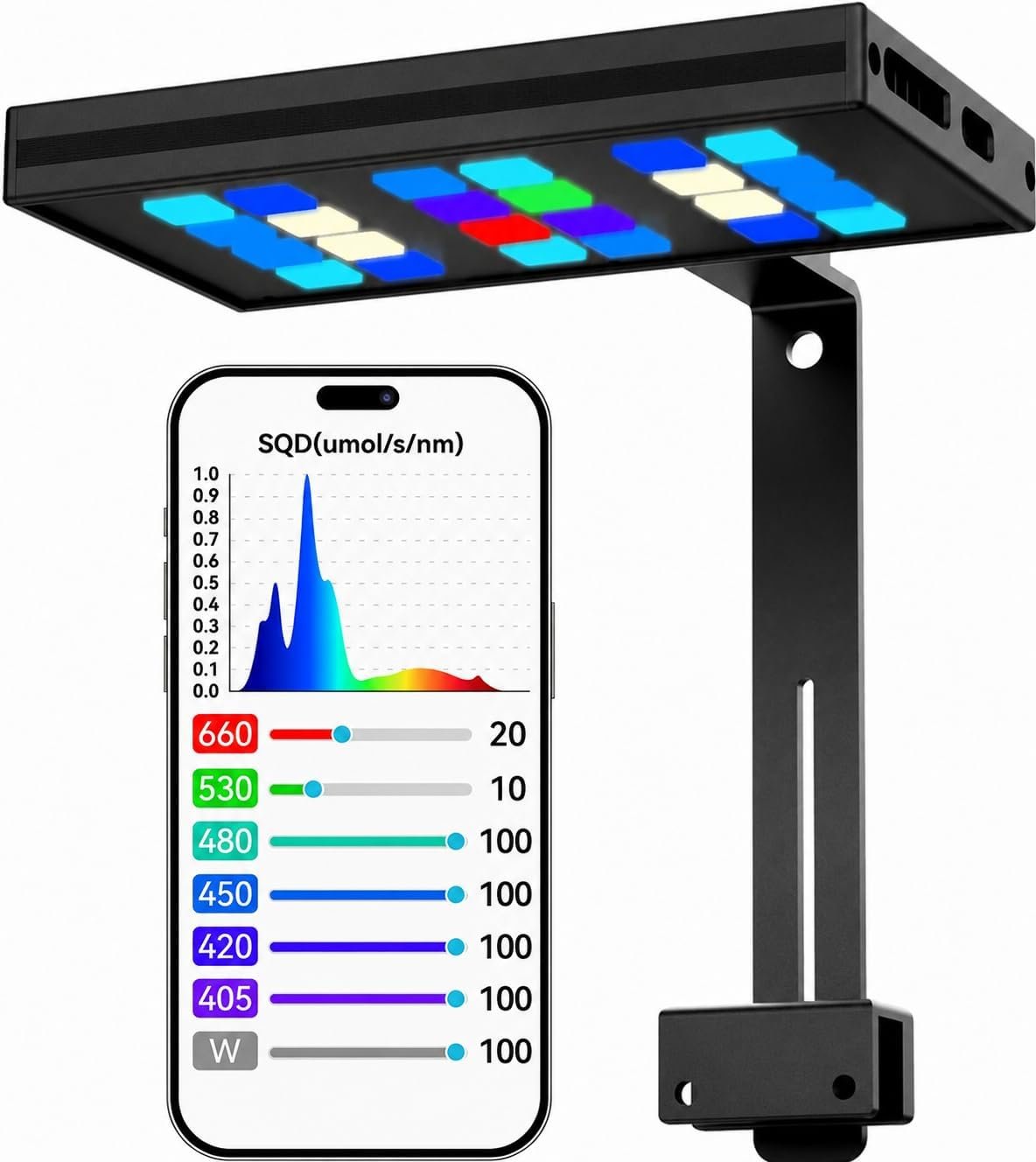
7 Independent Channels Built-in Bluetooth App Real-Time Spectrum Display Primary-Secondary Sync
Product functions and test results shown on this page apply to the stated setup. Aquarium results vary with installation, settings, water conditions, and measurement position.
MegaReef 100 reef LED light with seven-channel app controls and spectrum display
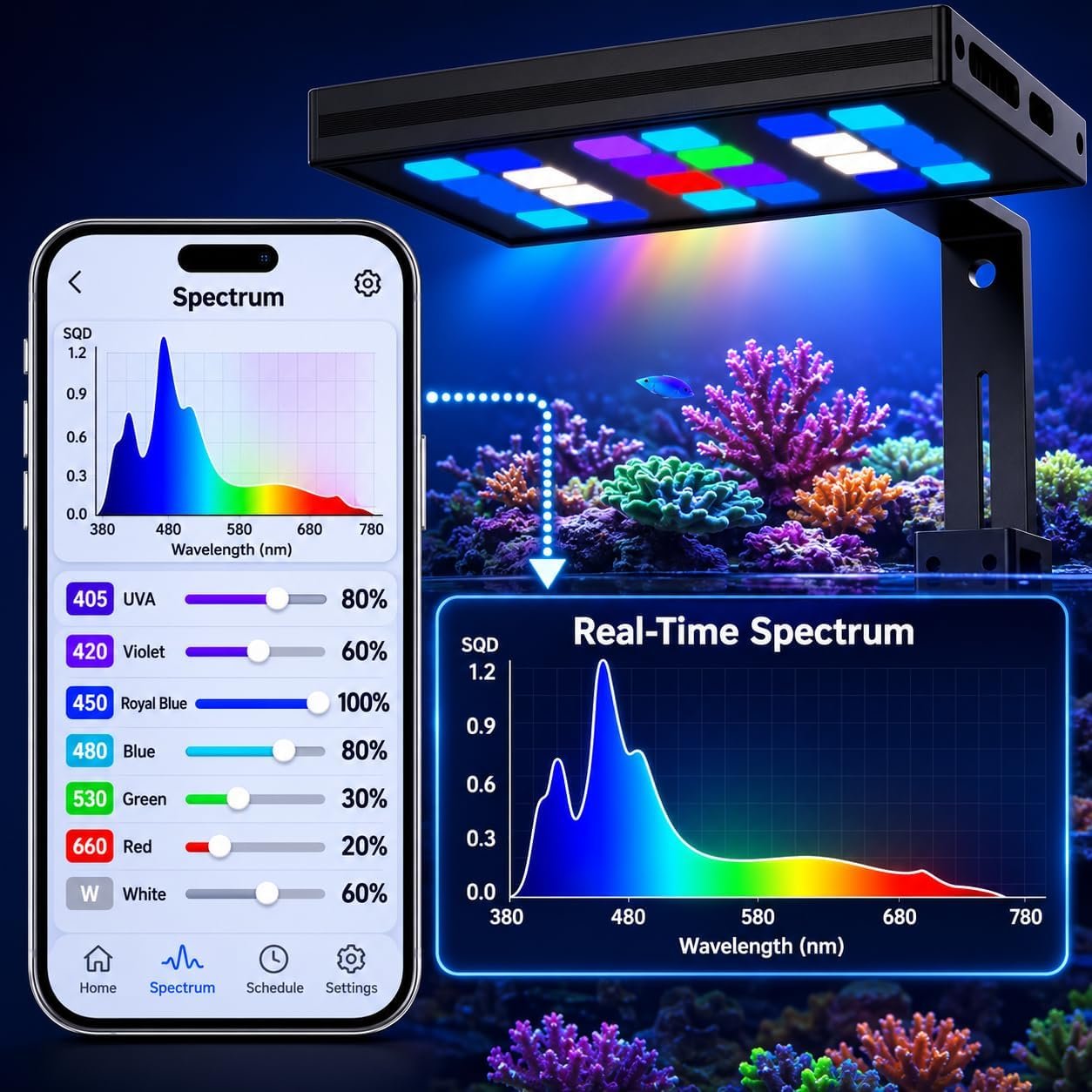
MegaReef app showing seven adjustable channels and a real-time spectrum visualization
Built-in app control

Tune the spectrum instead of guessing by color.

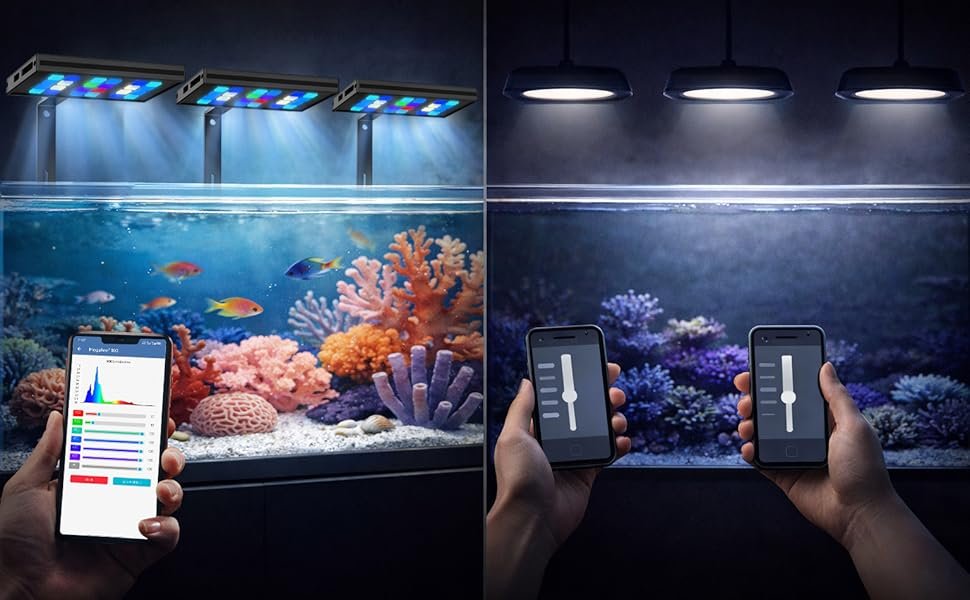
Adjust UV, violet, royal blue, blue, green, red, and cool white independently. The app displays a combined spectrum visualization as channel settings change, making a saved setup easier to understand and repeat.

  • No separate controller required for everyday spectrum adjustments
  • Seven independently adjustable LED channels
  • Visual feedback as channel settings change
The on-screen spectrum is a visualization based on channel settings; it is not an independent spectrometer measurement.
Flexible operation

Choose how your reef runs.

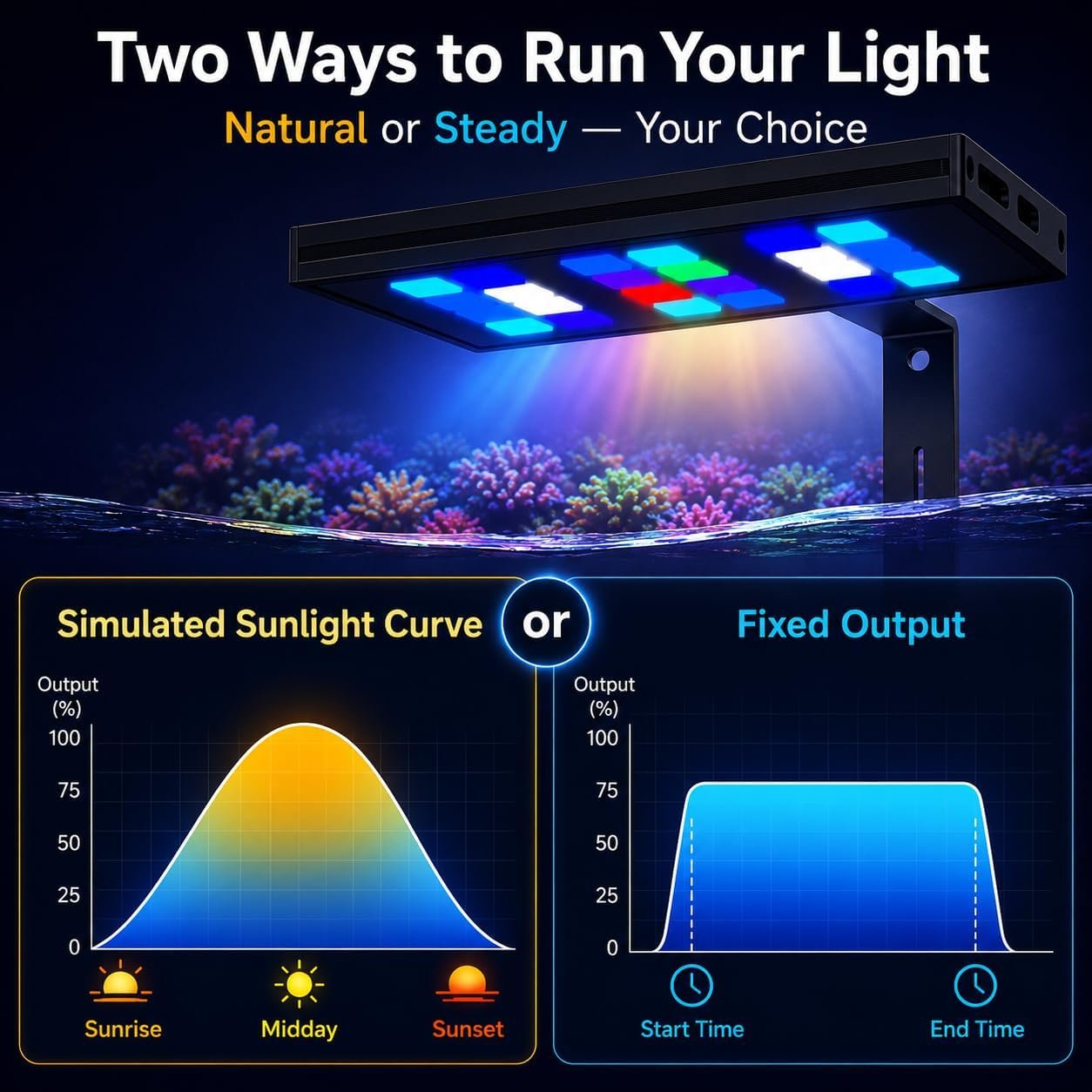
Use a gradual simulated daylight curve or maintain a selected fixed output during a programmed time period.

MegaReef 100 simulated sunlight curve and fixed-output operating choices

Sunrise to sunset

Create a gradual morning increase, daytime peak, and evening decrease.
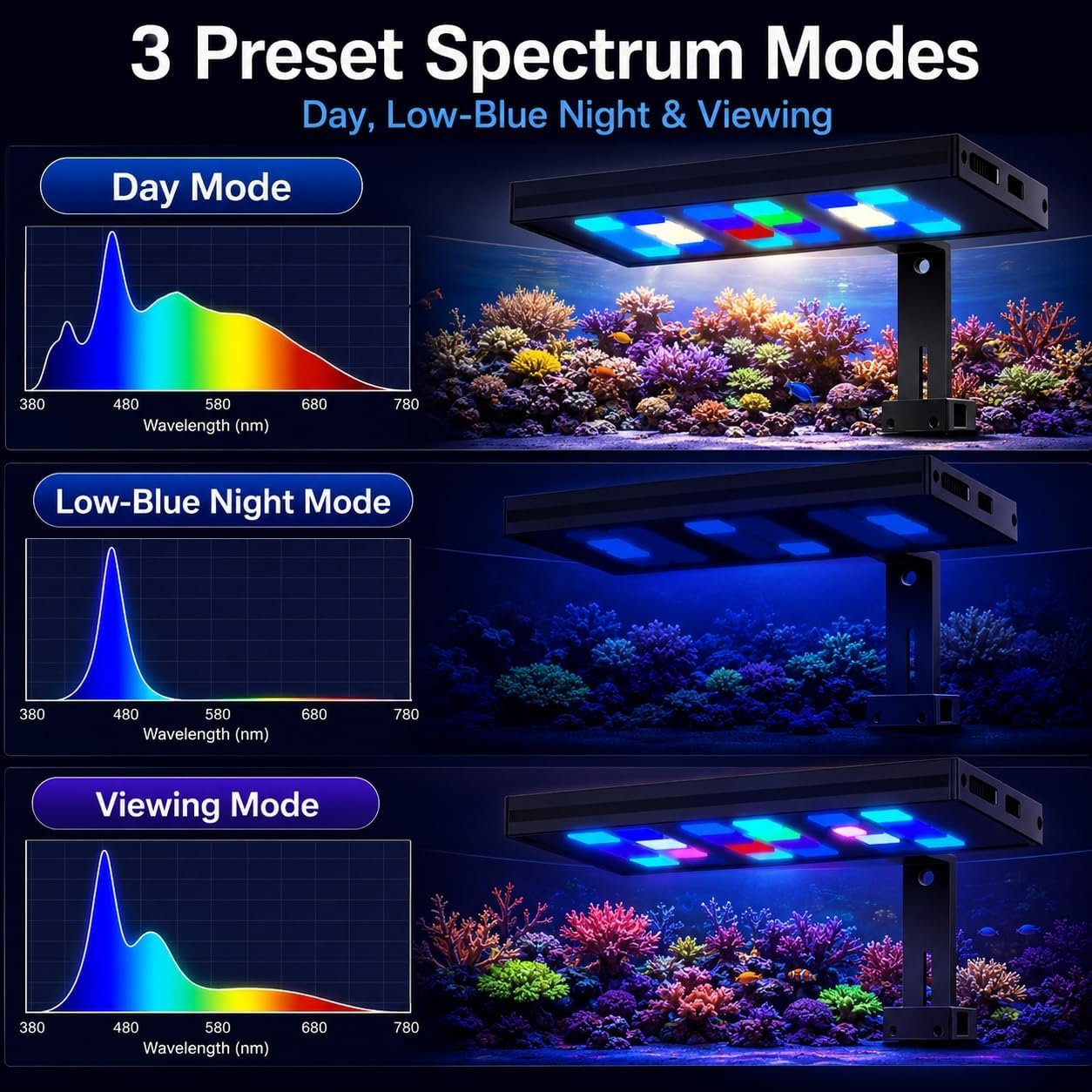
MegaReef 100 day, low-blue night and viewing spectrum modes

Day, low-blue, and viewing settings

Use the shown spectrum options as starting points, then adjust individual channels for your tank. Inventory received from July 2026 onward includes a lower minimum blue output.
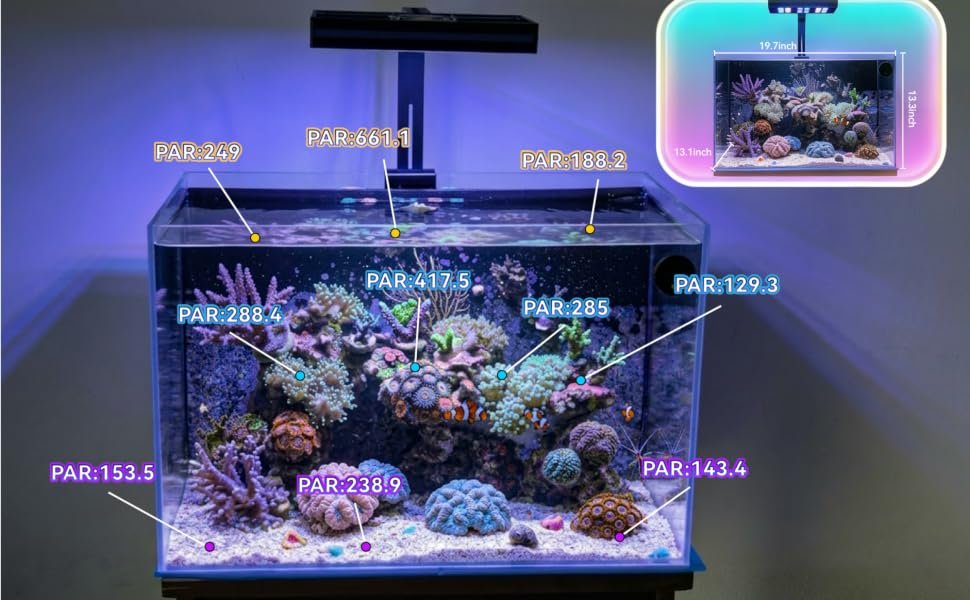
Underwater PAR distribution map across an approximately 20-inch reef aquarium
Measured underwater

See one underwater PAR test map.

The shown map records underwater PAR at multiple positions in one approximately 20-inch aquarium test setup. It illustrates how measured output changes across the tank and at different placement depths.
  • Use the measured gradient as one input when planning placement
  • Re-check PAR after changing height, channel settings, or aquascape
  • Observe each coral and adjust placement gradually
The image reports one stated test setup and is not a performance guarantee. Actual PAR varies with mounting height, tank dimensions, water clarity, settings, aquascape, and measurement position.
Multiple MegaReef 100 lights synchronized using a primary-secondary setup
Multi-light sync

One setup. Every linked light follows.

For wider tanks and multi-light layouts, designate one fixture as Primary. Linked Secondary fixtures follow the same channel settings, schedule, and operating mode.

  • Adjust one Primary fixture instead of repeating the setup
  • Keep linked lights on consistent settings
  • Expand the system as tank coverage needs grow
Frequently asked questions

Before you choose a reef light.

Does MegaReef 100 require a separate controller?

No. Everyday channel and schedule control is built into the MegaReef Bluetooth app. The phone must be within Bluetooth range.

Can the seven LED channels be adjusted independently?

Yes. UV, violet, royal blue, blue, green, red, and cool white each have an independent control.

Can multiple MegaReef 100 lights use the same settings?

Yes. A Primary fixture can be linked with Secondary fixtures so the linked lights follow the same setup.

Will the shown PAR values match every aquarium?

No. The image reports one stated underwater test setup. PAR changes with mounting height, tank dimensions, water clarity, channel settings, aquascape, and measurement position.

What is the lower-minimum blue setting for?

It provides a lower-output option for brief nighttime viewing. For a true dark period, turn the aquarium light off after viewing.

MegaReef 100

More control for a thoughtfully planned reef.

Review the complete product details, current availability, delivery terms, and checkout information on the retailer page.

View Purchase Options